HOI MOM
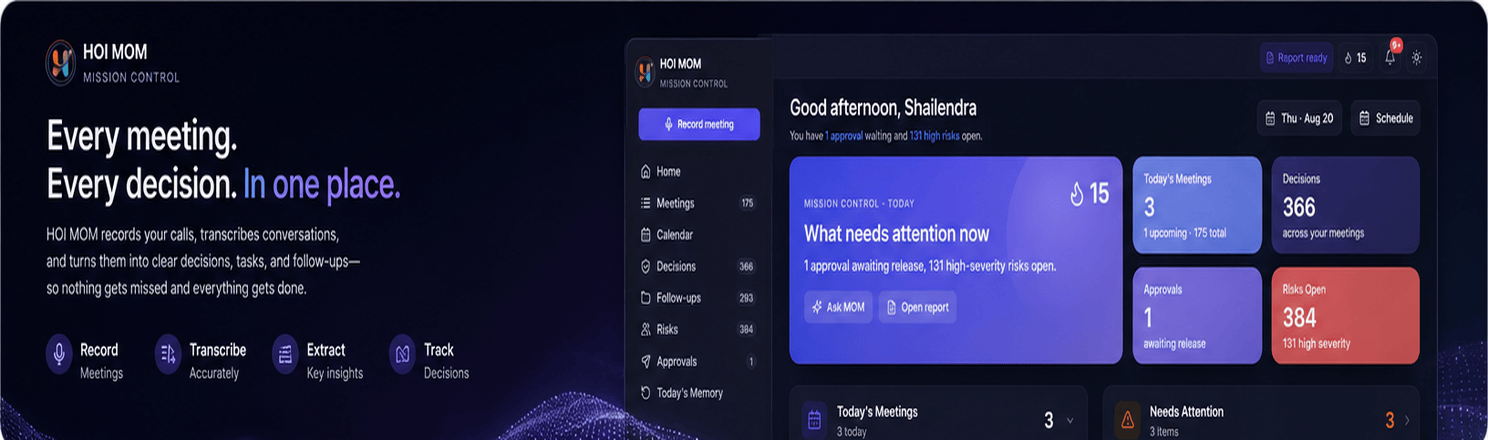
HOI MOM transforms meetings into structured records of decisions, owners, and deadlines—helping teams spend less time documenting conversations and more time turning them into completed work.
Turn Every Meeting into Decisions, Owners & Deadlines.
HOI MOM (Minutes of Meeting) is an AI-powered meeting intelligence and accountability platform that transforms meetings into structured, actionable records.
It captures meeting conversations, generates structured minutes, identifies decisions, action items, owners, deadlines, risks, and follow-ups, and keeps every commitment visible until it is completed.
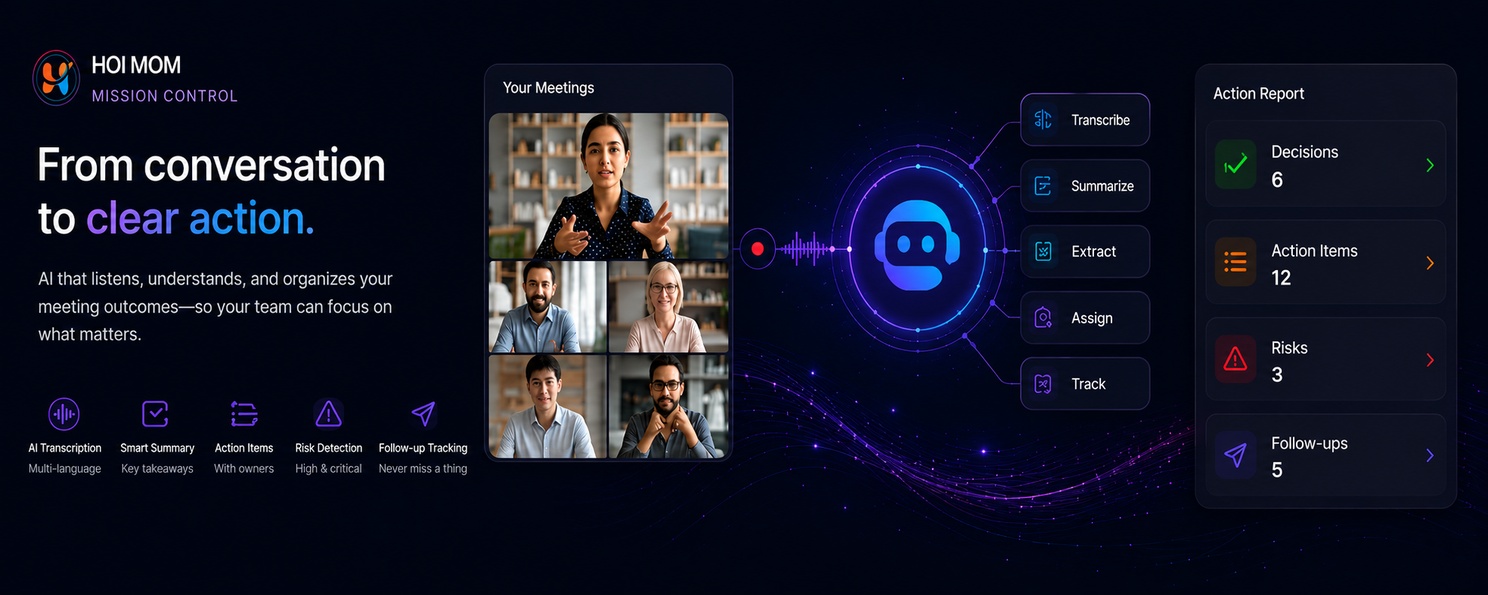
From Conversation to Completed Action—All in One Place.
HOI MOM goes beyond meeting transcription. It turns discussions into a searchable organizational record, distributes approved minutes instantly, tracks follow-ups across meetings, and gives managers visibility into execution.
Visual Product Journey
From Meeting Preparation to Action Completion.
Create the Meeting
Set up the meeting, participants, time, and capture mode for online or in-person meetings.Capture the Conversation
Record meeting audio from Zoom, Google Meet, Microsoft Teams, or an in-person room.Transcribe & Understand
Generate a live, speaker-separated transcript with support for English, Hindi, and Hinglish.Generate the MOM
AI converts the conversation into a structured summary with decisions, action items, owners, deadlines, risks, and open questions.Review & Approve
The organizer reviews the MOM, confirms speakers, makes edits if required, and approves the final record.Share & Track
Distribute the approved MOM as a branded PDF and secure web link while tracking every action item.Execute & Remember
Carry decisions, follow-ups, and risks across meetings while keeping the organization's meeting history searchable.
Key Features
AI-Powered Meeting Capture
Capture meetings from Zoom, Google Meet, Microsoft Teams, or in-person rooms through supported recording options.
Live Transcription
Generate speaker-separated transcripts during meetings with support for English, Hindi, and mixed Hindi-English (Hinglish) conversations.
AI-Generated Minutes of Meeting
Automatically transform meeting discussions into concise, structured MOMs covering summaries, decisions, action items, risks, and open questions.
Action Item Management
Turn conversations into actionable tasks with named owners, due dates, and status tracking so commitments don't get lost after the meeting.
Decision Center
Maintain a centralized record of decisions and approvals across meetings, making important business decisions easy to search and reference.
Automated Follow-Ups
Carry action items from one meeting into future meetings and automatically highlight overdue commitments and pending actions.
Meeting Insights
Identify decisions, risks, follow-ups, and action items while the meeting is still happening, helping teams stay focused on outcomes.
Branded MOM Distribution
Send approved minutes to attendees through a professional branded PDF and secure web link.
Searchable Meeting Memory
Search across organizational meeting records to quickly find decisions, discussions, owners, projects, and commitments.
Execution & AI Insights
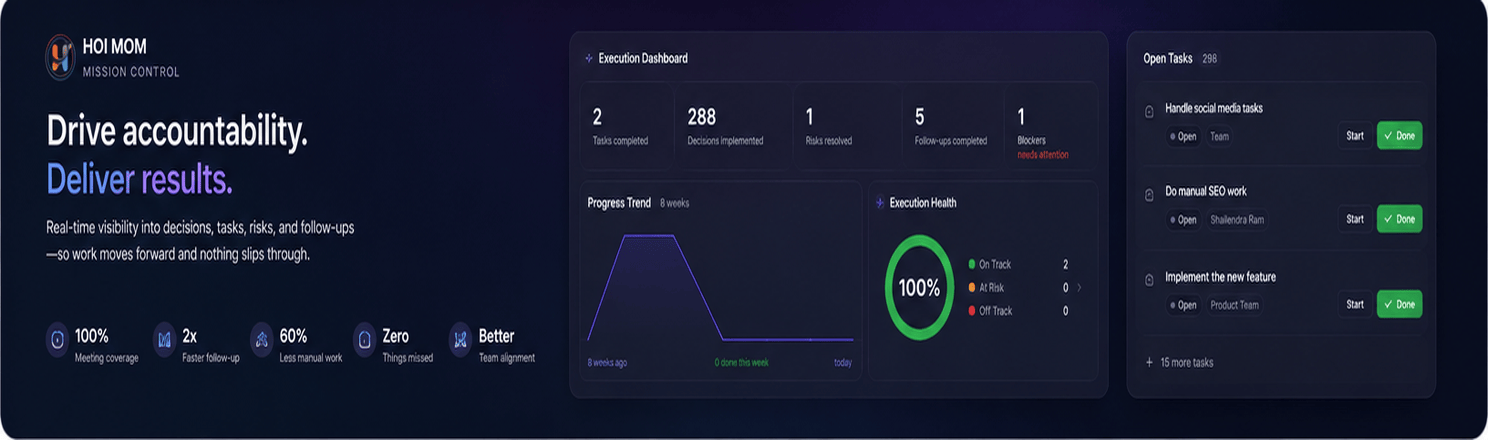
Give managers visibility into project and team progress, accumulated risks, pending approvals, and outstanding actions.
Privacy & Data Controls
Support consent notifications, workspace-level data isolation, internal-only transcripts, and configurable raw-audio retention.
Why HOI MOM?
One meeting. One record. Every decision and commitment accountable.
HOI MOM is designed to turn meetings from temporary conversations into structured business knowledge and measurable execution.
Zero manual note-taking — Focus on the conversation instead of typing minutes.
Minutes in minutes — Generate structured MOMs shortly after the meeting.
Clear ownership — Every action item can have a defined owner and deadline.
Decisions that stick — Preserve decisions and approvals in a centralized record.
Built for multilingual teams — Support English, Hindi, and Hinglish conversations.
Meeting-ready anywhere — Capture online and in-person meetings through supported options.
Professional communication — Deliver consistent, branded MOMs to stakeholders.
Accountability beyond the meeting — Track commitments until they are completed.
Who Is HOI MOM For?
HOI MOM is ideal for organizations where meetings drive projects, decisions, approvals, and day-to-day execution.
Best suited for:
Project & delivery teams
IT & software companies
Operations teams
Leadership & management teams
Client-facing teams
Organizations running frequent meetings and reviews
Ideal Use Cases
Project Status Meetings
Capture progress, decisions, risks, and action items while keeping every commitment connected to the project.
Client Review Meetings
Create professional MOMs, document client decisions, and maintain a clear record of agreed actions.
Daily Stand-Ups
Capture task assignments and follow-ups without interrupting the team's daily discussion.
Leadership Meetings
Maintain a searchable record of strategic decisions, approvals, risks, and responsibilities.
Engineering & Operations Meetings
Turn technical discussions into structured actions, owners, and deadlines that can be tracked across meetings.
Built for Better Meetings. Designed for Stronger Execution.
HOI MOM transforms meetings into structured records of decisions, owners, and deadlines—helping teams spend less time documenting conversations and more time turning them into completed work.
Explore HOI MOM →